Key Features
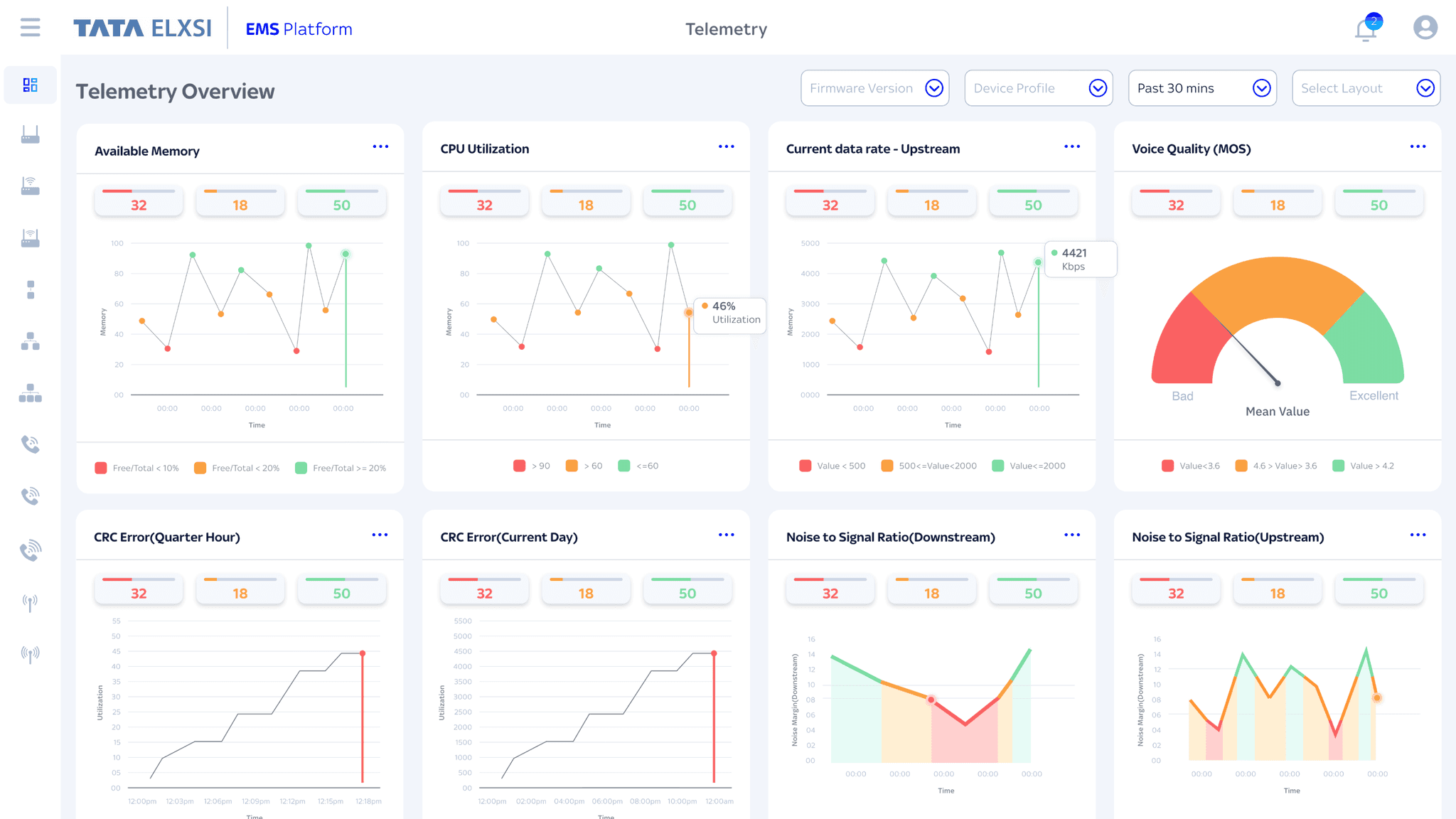
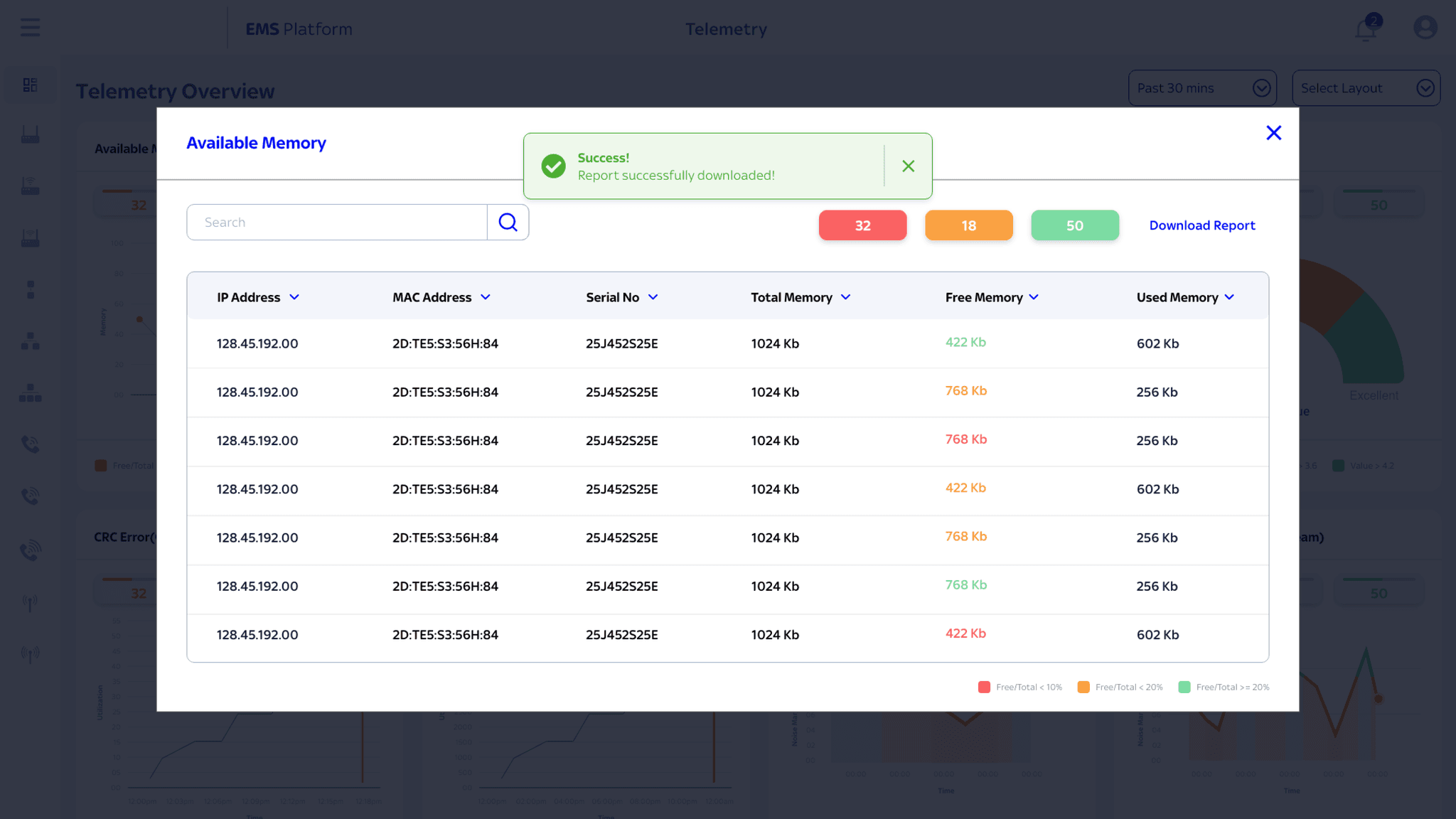
• Telemetry Portal – Real-time monitoring of device health and performance.
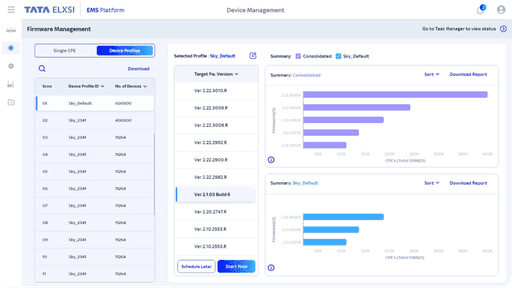
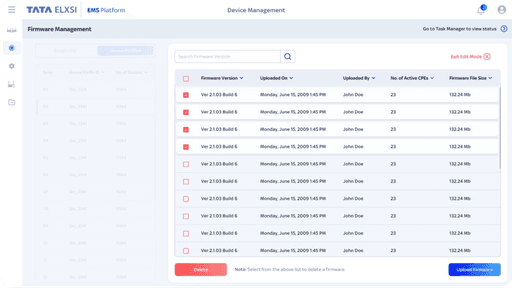
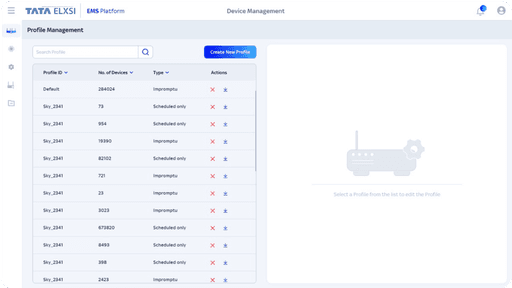
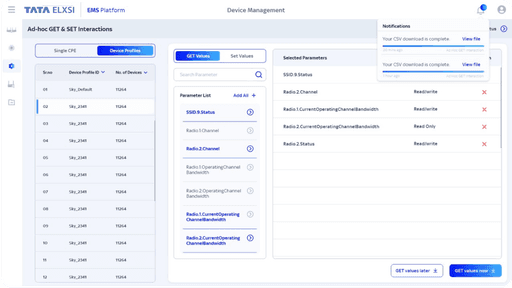
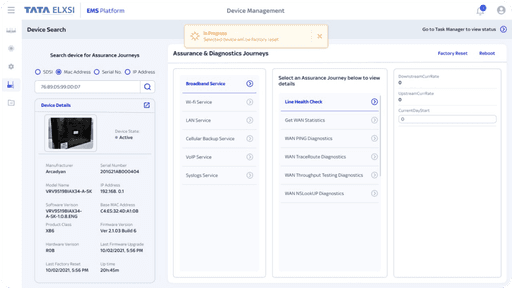
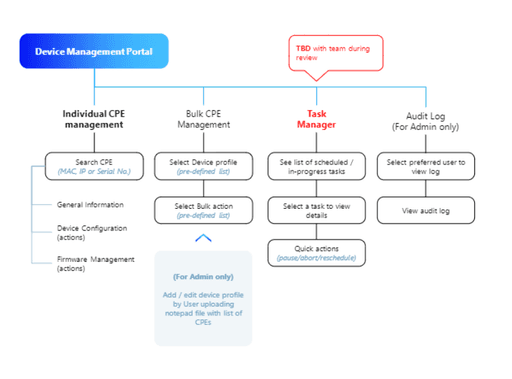
• Device Management Portal (DMP) – Remote firmware management, diagnostics, and control.
• Scalable Design System – Ensuring UI consistency across dashboards and workflows.
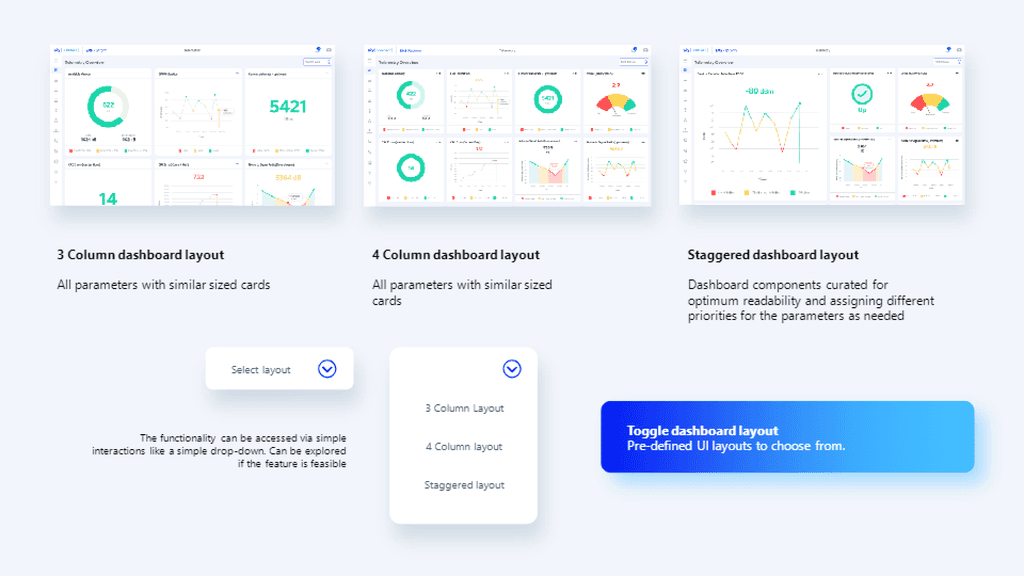
• Customisable Layouts – Supporting diverse user needs with 3-column and 4-column views.
My Role: UI Designer
• Designed high-fidelity interfaces and interactive prototypes in Adobe XD.
• Developed a design system to ensure scalability and visual consistency.
• Collaborated with UX designers and developers to streamline workflows.
TEAM COMPOSITION
• Lead Designer: Project strategy & coordination
• UX Designers: Research & wireframing
• UI Designers: UI design, prototyping, and developer handoff
• Developers: Handled the platform’s functionality, backend integrations, and deployment.
• Project Managers: Coordinated project timelines, client interactions, and progress.
UX Framework Definition
• Defined user flows and wireframes for core features.
• Created low-fidelity prototypes to test navigation and usability.
Concept Design
• Developed UI mockups showcasing colour schemes, typography, and iconography aligned with brand guidelines.
• Designed low-fidelity wireframes illustrating user interactions.
Design System Creation
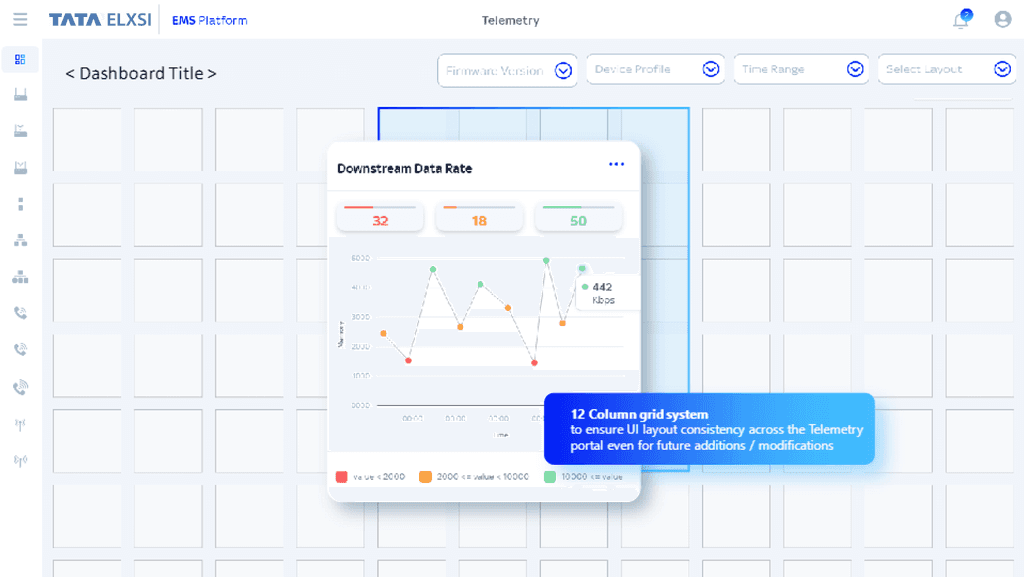
• Established a 12-column grid system for structured layouts.
• Defined reusable UI components to ensure consistency.
• Defined standardised UI components, typography, colour palettes, and design patterns that could be reused across screens and modules.
High-Fidelity UI Design
• Created detailed screen designs with interactive prototypes.
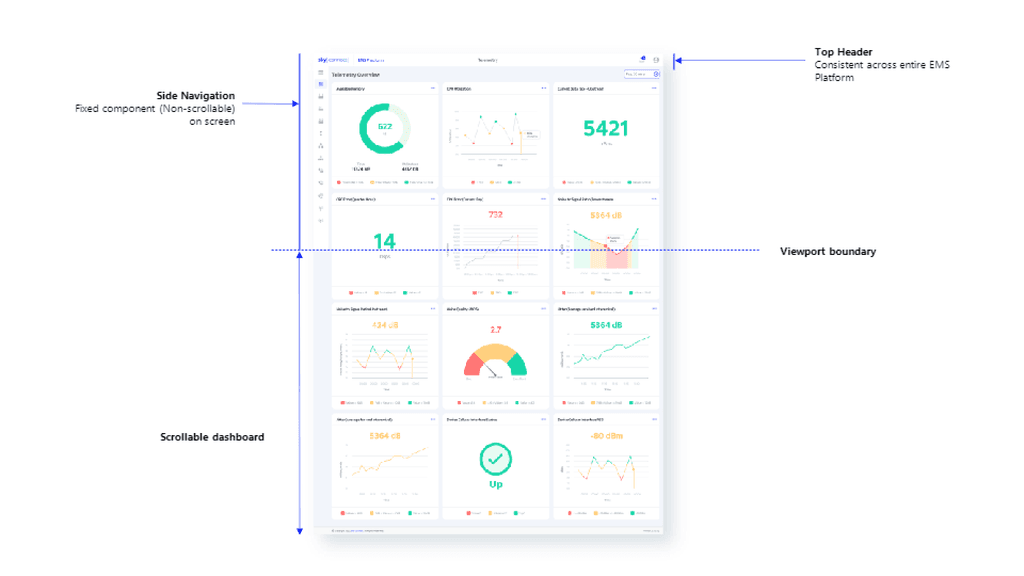
• Implemented customisable dashboard layouts to cater to different data visualisation needs.
Development Support
• Provided design specifications and UI assets to developers.
• Collaborated with the team to ensure a smooth handoff and implementation.
Challenges & Constraints
• No direct access to stakeholders – All requirements were gathered through developers, requiring iterative feedback cycles.
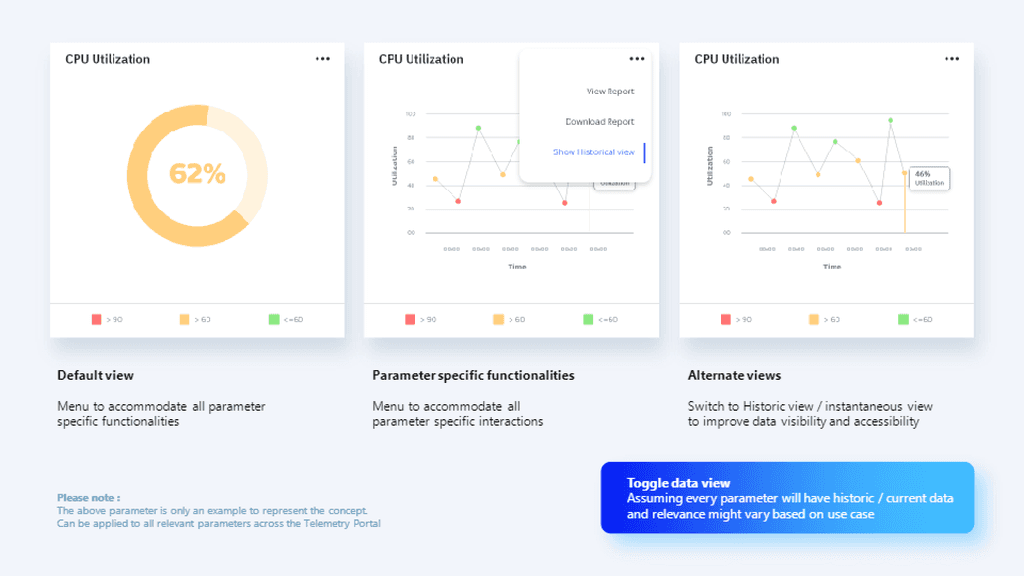
• Complex data visualisation – Needed to present large telemetry datasets in an intuitive way.
UX Focus Areas
✨ Visual Consistency and Standards
✨ Visibility of System Status
✨ Intuitiveness
✨ Reducing Cognitive Load
✨ Simplifying Workflows
✨ Simplifying Workflows
✨ Accessibility and Flexibility
✨ Scalability
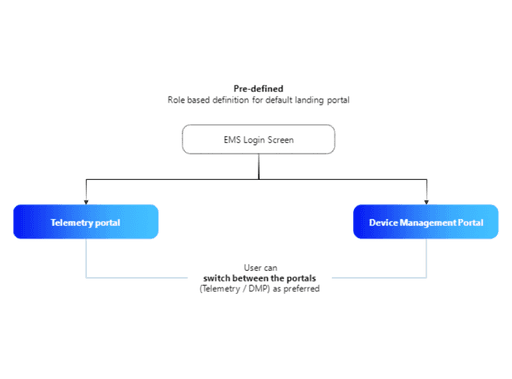
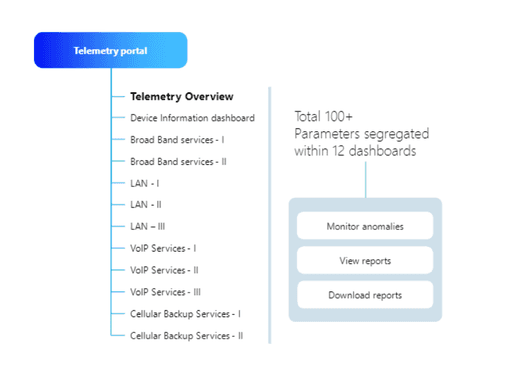
Telemetry Portal
Grid System: 12 Column
• The 12-column grid structured all data visualisations, charts, and tabular components.
• Ensured alignment and consistency across different sections.
Customisable Dashboard Layout
• 3-Column Layout: Larger visualisations for an in-depth view of specific metrics.
• 4-Column Layout: Narrower sections for users who need multiple smaller graphs and tables.
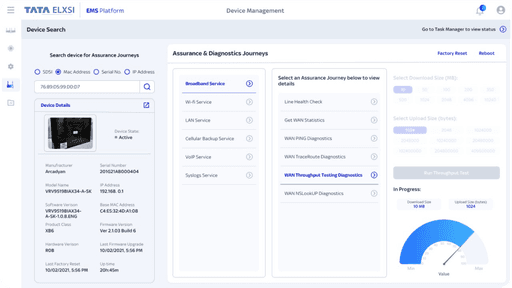
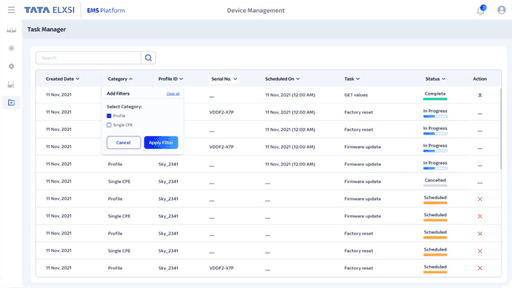
Device Management Portal (DMP)
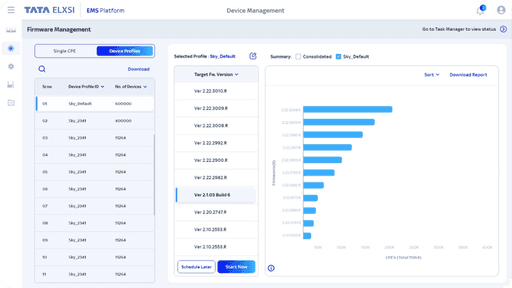
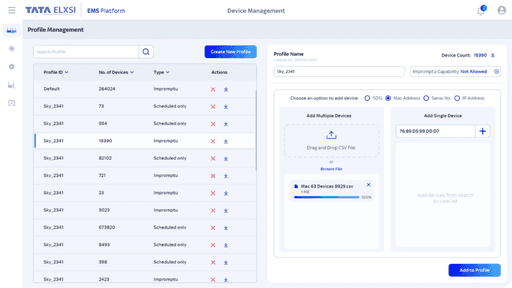
• Remote Firmware Management: Schedule and execute firmware updates.
• Device Search & Diagnostics: Locate, troubleshoot, and reset CPEs remotely.
• Task Manager & Audit Logs: Track user actions and maintain compliance.
• Role-Based Access Control: Admins can manage device profiles and permissions.
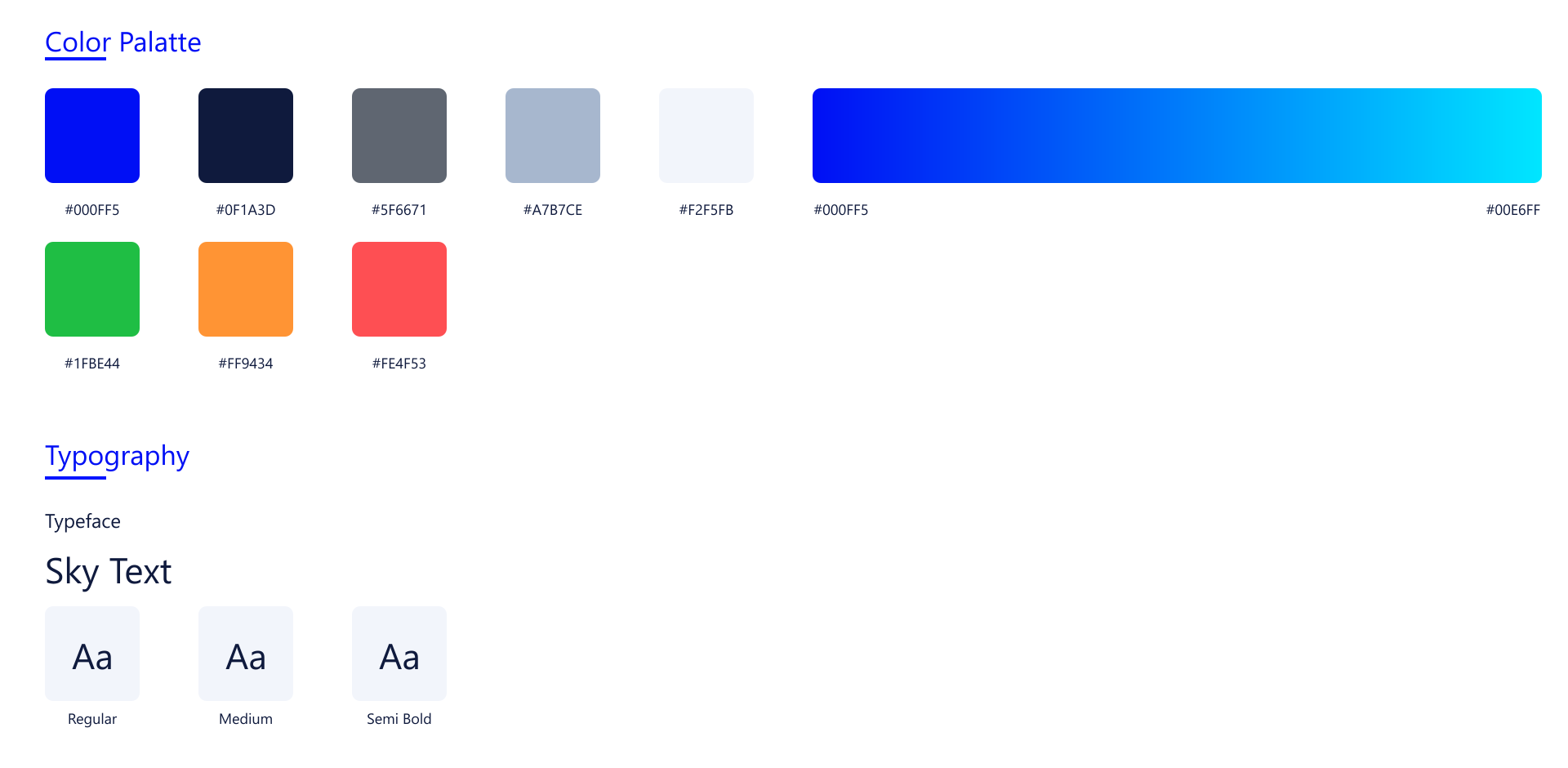
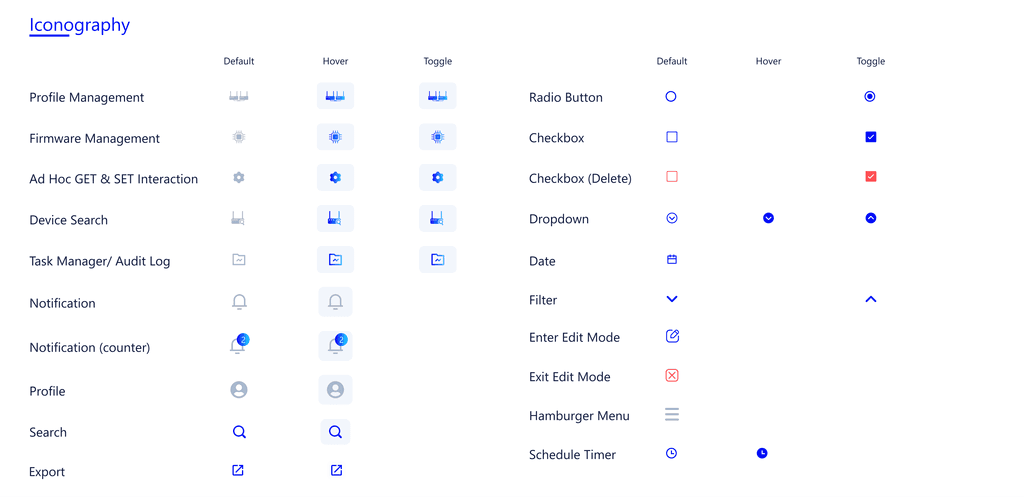
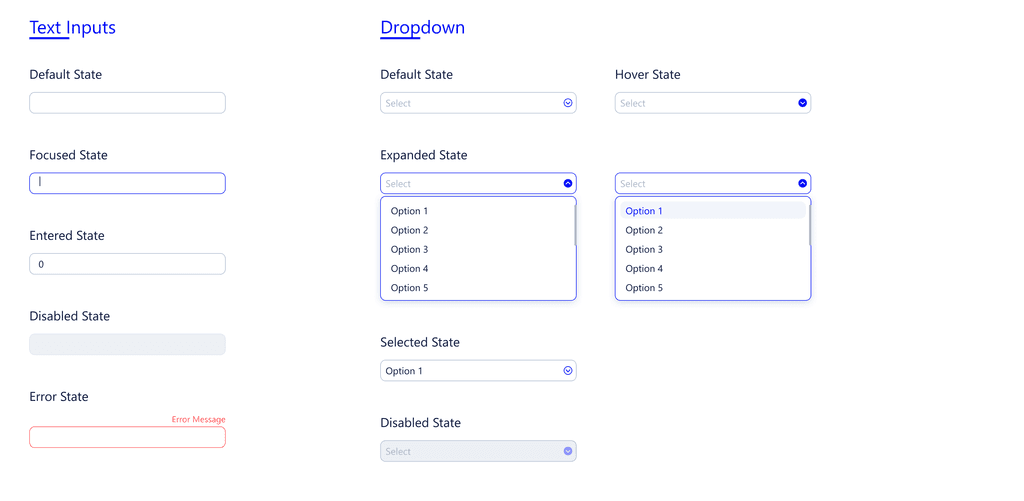
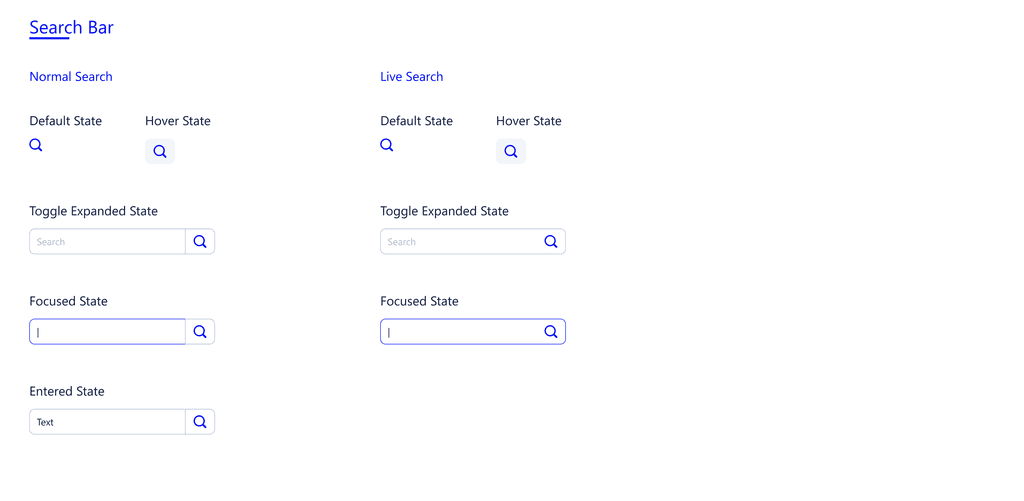
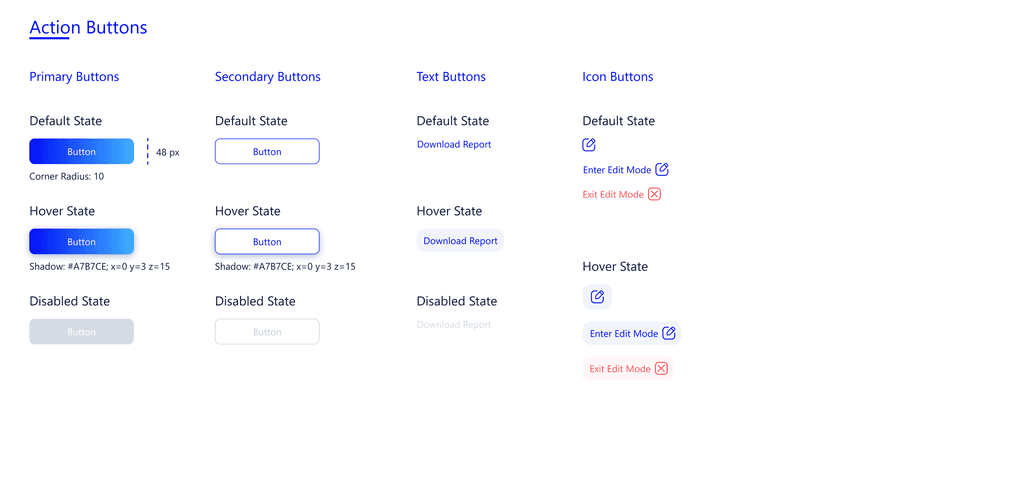
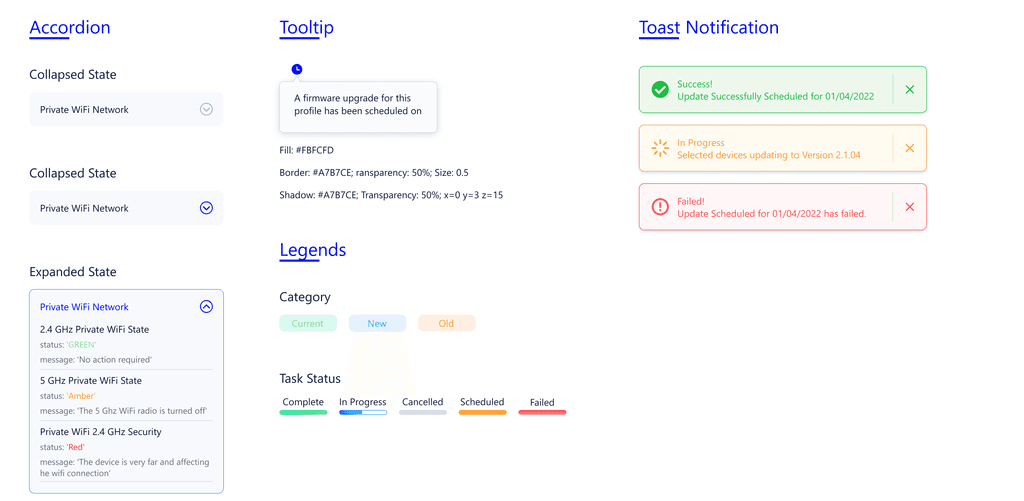
To maintain visual consistency and scalability, I developed a design system consisting of:
• Typography & Colours: Ensuring accessibility and brand alignment.
• Grid System: A structured 12-column layout for adaptable dashboards.
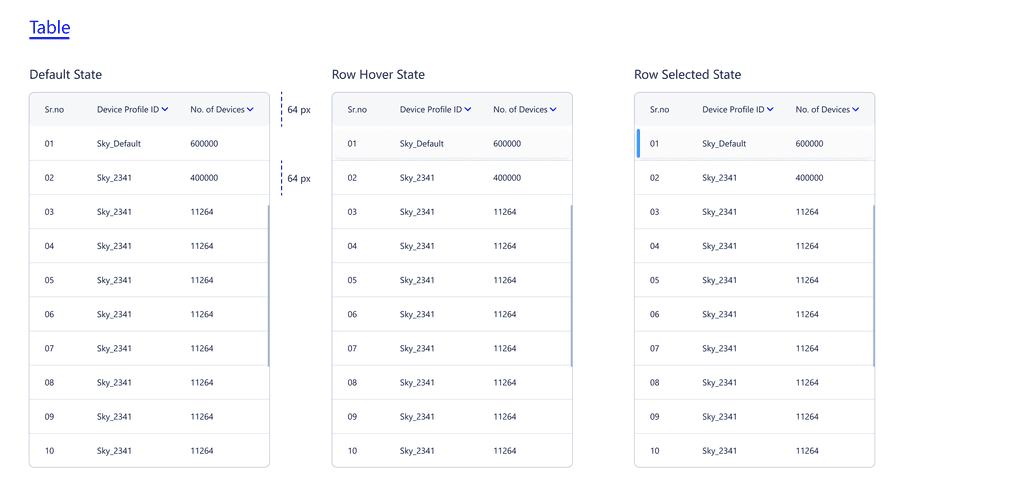
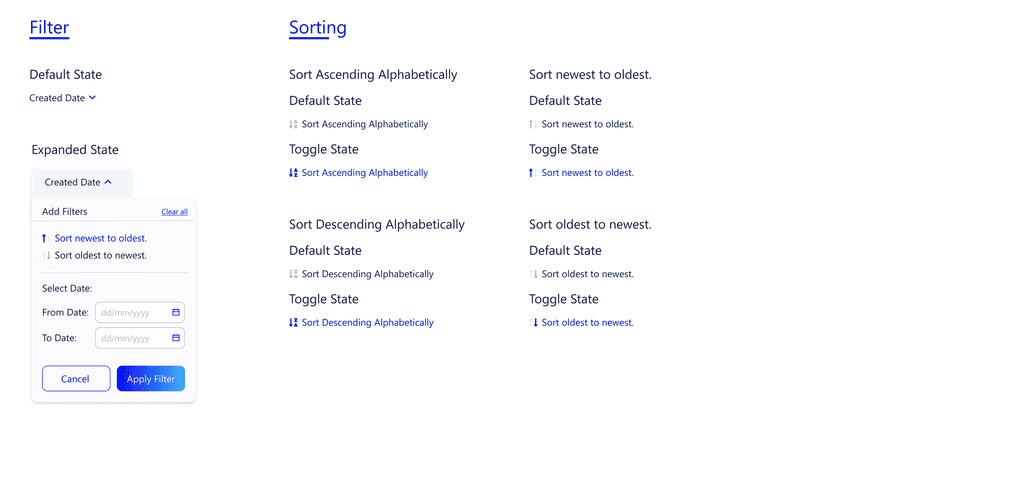
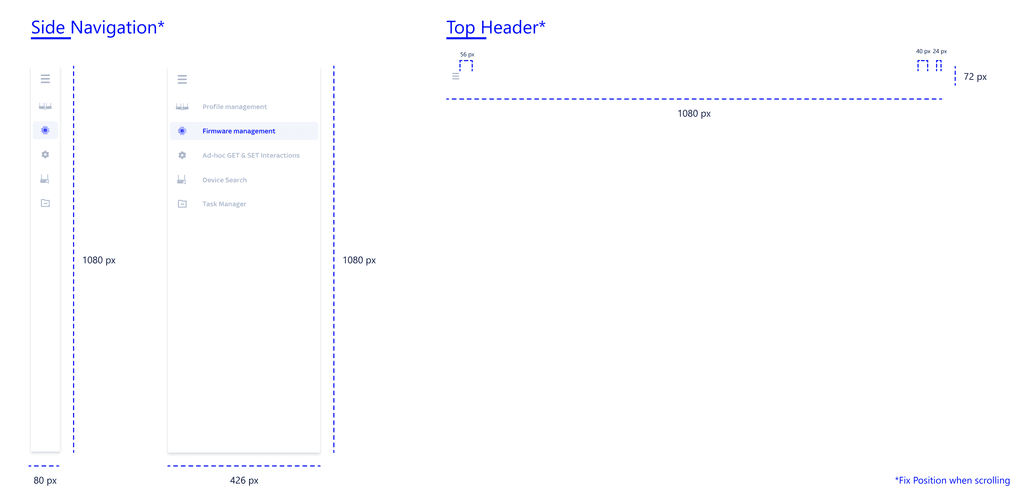
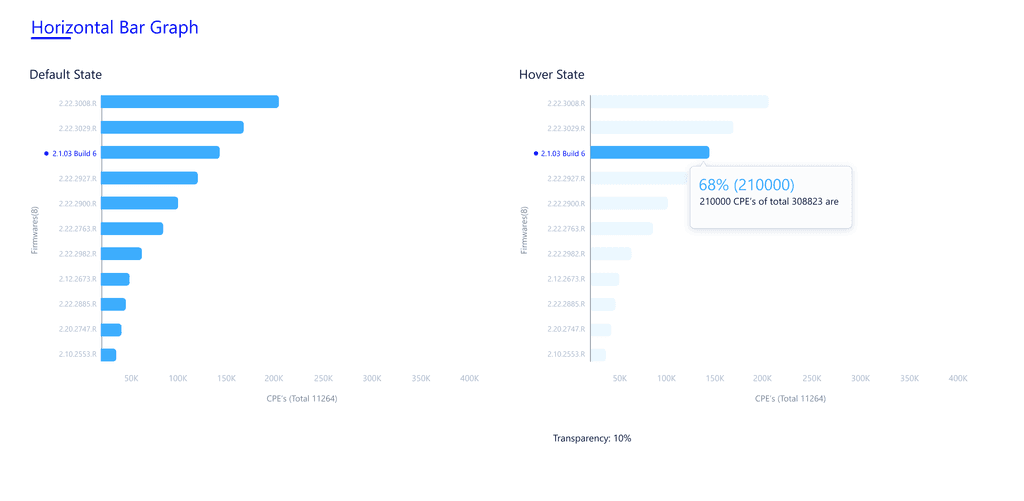
• UI Components: Reusable elements such as buttons, tables, cards, and data visualisations.
Working on this project shows how important effective communication with developers is, especially when we can't access stakeholders directly. Designing data-heavy applications requires careful thought about how to organis`e information to make it easier for users. Building a scalable design system helps maintain consistency and efficiency, making future updates smoother. This experience demonstrates the value of collaboration, structured design thinking, and user-centred design in creating complex industrial platforms.
